
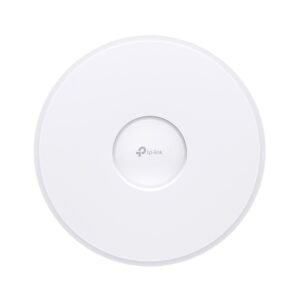
TP-Link Omada Access Point – WiFi 7
95.000 KWD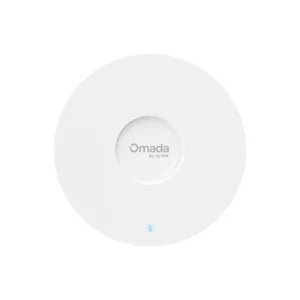
TP-Link Omada EAP653 Access Point – WiFi 6
50.000 KWD
WiFi Networks for Homes and Villas in Kuwait
The most common complaint in Kuwaiti villas is weak WiFi on the upper floors or in the annexe. The cause is always the same: a single ISP router trying to cover a two- or three-storey concrete building. The answer is not a stronger router but distributed access points.
Access points versus wireless mesh
Wireless mesh systems link their units over the air, losing roughly half the speed at every hop. Omada access points connect over CAT6 network cable and draw power from that same cable via PoE, so you get full speed at every point without needing an extra power socket.
How many points do you need?
A practical rule: one access point per 100 to 120 square metres of open space, or one per floor in a villa. Concrete walls and steel doors cut the 5 GHz signal severely, so place the points in hallways and living areas rather than inside rooms.
WiFi 6 or WiFi 7?
WiFi 6 (such as the EAP653) is enough for most homes, and its real advantage is not speed but handling more devices at once, which matters in a smart home with dozens of devices. WiFi 7 adds the 6 GHz band, which is only useful for large villas and newer devices.
Technical note: cabling
Use full-copper CAT6 cable (not CCA) for any run carrying PoE; copper-clad aluminium cable heats up and degrades over time. Do not exceed 100 metres on a single run, and if you need more, add an intermediate switch.
Installation
Installation of the point is included in the price inside Kuwait where network cabling is already in place. Running new cable is quoted after a survey, based on the number of points and the length of the runs. Send us the house plan, or its area and the number of floors, on WhatsApp and we will send back a coverage layout and a quote.
Frequently Asked Questions
How many access points do I need for a villa in Kuwait?
The practical rule is one access point per floor, or per 100 to 120 square metres. A three-storey villa usually needs three to four points distributed across the hallways and living areas.
What is the difference between mesh and an access point?
Mesh links its units wirelessly, losing about half the speed at every hop, which suits small apartments. An access point connects over network cable and keeps full speed, which is the right choice for villas.
Do I need a separate Omada controller?
Not always. For one or two points the Omada phone app is enough. For three points or more we recommend a local controller to manage roaming between points and unify the network name.
Can an access point run without a power socket?
Yes, Omada devices support power over the network cable (PoE), so a single CAT6 cable from the switch or a PoE injector is enough, with no need for a power socket nearby.